
Your copies, in reach
Copy it. Find it.
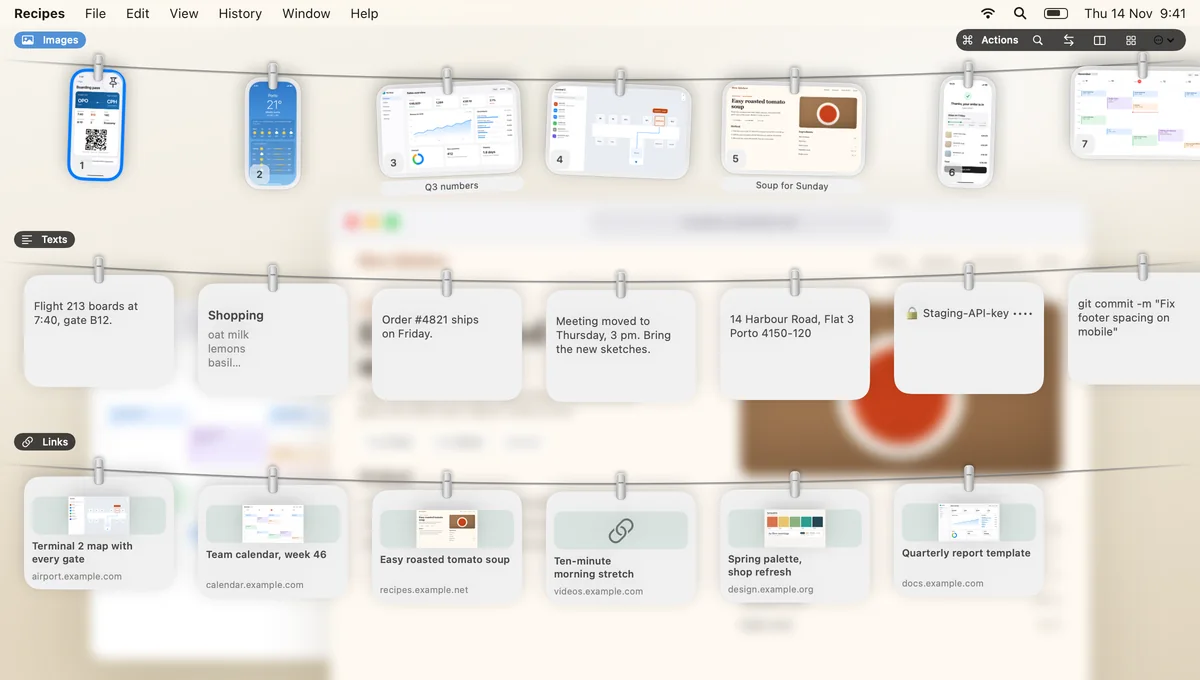
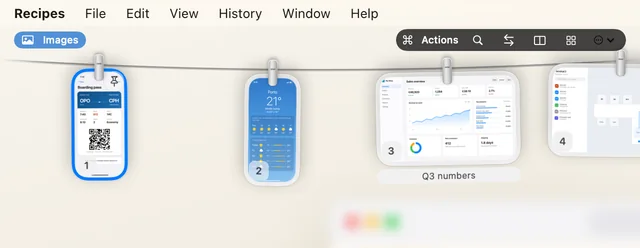
Keep the texts, links and screenshots you copy in one calm place, on a rope at the top of your Mac.
For Mac, with an iPhone companion in beta.
Film captions: You copied it an hour ago. Where did it go? Press Control Option T. Everything you copied is on the rope. Pick it. Paste it. Done. Texts, links and screenshots. Always within reach. Copy it. Find it. pinrope.com, coming soon.
Get to know your rope
A familiar feeling.
A little more helpful.
Press ⌃ ⌥ T and your copies slide down from the top of the screen, each kind on its own rope. Start typing to search all of it, even the words inside your screenshots.
Control + Option + T. You can change it in Settings.
A search for “B12”

For the little things that add up
You had it.
Now you can find it.
Your day moves between emails, messages, documents and a dozen open tabs. Pinrope gives the things you copy a place to stay, so you can keep going.
-
01
“I just copied that.”
Copy something else. The address, note or paragraph you copied before is still on the rope.
-
02
“Where was that link?”
Links hang together with their page title and a small preview, so the one you want is easy to spot. Prefer plain links? Turn previews off.
-
03
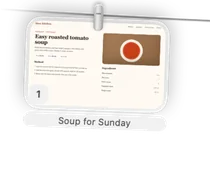
“I’ll need this again.”
Pin the things you come back to, like a regular reply, your company details or Sunday’s recipe, and give them a name. Pinned items stay until you unpin them.
No new habits required
Copy as usual.
Carry on.
Copy something.
A text, a link, a screenshot. Just like you always do.
Bring down your rope.
Control + Option + T brings your recent copies into view.
Find it. Use it again.
Pick what you need, press Return, and paste it into your work.
From your phone.
Into your flow.
Tap the back of your iPhone, or choose Share → Pin to rope, and the screenshot lands on your Mac’s rope a moment later. No emailing yourself, no digging through Photos.
The iPhone companion is in beta. Screenshots travel over your own Wi‑Fi, so your iPhone and Mac need to be on the same network. There’s no iCloud sync yet.


Personal by nature
Your clipboard.
Your control.
You choose what Pinrope keeps: texts, links, images. And you can delete anything, any time.
- Your history is encrypted on your Mac.
- Screenshots travel from your iPhone to your Mac over your own Wi‑Fi only. No iCloud yet.
- Nothing you copy goes through our servers.
- Items from password managers are never saved.
- Secrets you copy go into a locked vault that opens with Touch ID.
For power users
Pinrope works with Claude Code and Codex, so your assistant can find what you copied. You decide what it can see.
What does Pinrope do?
Pinrope is a Mac app that keeps the texts, links and screenshots you copy. One shortcut brings them down on a rope at the top of your screen, and you can search all of it, even the words inside screenshots.
Do I need to be good with computers?
No. Install it and keep copying as usual; your things show up on the rope. The app walks you through setting up the iPhone tap, step by step.
When can I try it, and is it free?
We’re inviting people to the beta in small groups, and the beta is free. Join the list and we’ll email you when your invite is ready. Pricing will be announced at launch.
Does it work with iPhone?
Yes, through the iPhone companion, which is in beta. Tap the back of your iPhone or use Share → Pin to rope, and the screenshot goes to your Mac over your own Wi‑Fi. Both need to be on the same network; there’s no iCloud sync yet.
What happens with link previews?
When you copy a link, Pinrope fetches the page’s title and a small image so the card is easy to recognise. That means contacting the website. You can turn link previews off in Settings.
Where is my data?
On your Mac, encrypted. We don’t run a server that sees what you copy or the screenshots you send from your phone.

A calmer workday is on its way
Keep the good things
within reach.
We’re putting the finishing touches on Pinrope. Join the waitlist and we’ll email you your beta invite.
Built for people who have better things to do than look for things.